26 June 2011

Cain and abel :- A utility for hackers


Cain & Abel is a password recovery utility that allows easy recovery of various kind of passwords by sniffing the network, cracking encrypted passwords using Dictionary, Brute-Force and Cryptanalysis attacks, recording VoIP conversations, decoding scrambled passwords.It contains a lot of new features like APR (Arp Poison Routing) which enables sniffing on switched LANs and Man-in-the-Middle attacks.

Ok now without talking too much , i will recommend you to watch this video ,that what an hacker can do while you are sitting in a restaurant accessing  wi-fi , wihtout noticing that is happening with you


I hope you get an idea what is happening here  .If still have some query then feel free to ask


19 June 2011

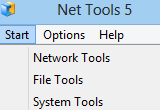
An ultimate and amazing Hacking tool :- Net Tools


Net Tools is cutting-edge security and network monitoring software for the Internet and Local Area Networks.

Net Tools is a very strong combination of network scanning, security, file, system, and administrator tools useful in diagnosing networks and monitoring your PC and computer's network connections for system administrators.

There are numerous constructive and valuable applications included in Net Tools that can be used for a great amount of purposes.


Click here to Download'


An Ultimate Hacking tool :- Tamper data

This freeware Firefox add-on helps Web site administrators easily test page post and header data exchange.

Tamper Data acts as a stop sign between data exchanged from a Web site and your browser. For each subsequent request, the utility pops up a dialog to poll the user to tamper with the data, submit it as normal, or cancel the request. Users edit the data as they see fit and click to send it to the Web site, even you can fire SQL injections into website or you can modify cookies.

10 June 2011

Facebooz: Crack Facebook Account


Facebooz is a free facebook cracker. It use text dictionary file to attempt login into the social networking website.


It requires that you must have installed Java Run Time Enviornment

You can download this software from here  :-Click here


Kindle, Wi-Fi, Graphite, 6" Display with New E Ink Pearl Technology - includes Special Offers & Sponsored Screensavers

08 June 2011

How to send sms to mobile using PHP?

Few months ago, I had to add SMS sending facility in a website, for that we buy an SMS API from a company, now after buying SMS API, I had faced problem in how to integrate their API with PHP
I searched a lot on Google about it because the documentation provided by them was not much helpful ,so after long hours of searching on Google, finally I managed to find some clue, I found we can use curl .It is a very impressive library that allows you to connect and communicate to many different types of servers..

This code opens up a connection with the gateway, sends the SMS message(s) 

//this is the url of the gateway's interface
$url = "http://bulkpush.mytoday.com/BulkSms/SingleMsgApi";
//initialize curl handle
$curl_connection = curl_init($url);
curl_setopt($curl_connection, CURLOPT_POSTFIELDS, $post_string); //set the POST variables
$result = curl_exec($curl_connection); //run the whole process and return the response
curl_close($curl_connection);  //close the curl handle                         


  • First of all, we initialize a new CURL session.
  • Then you have to pass all the variable ( such as username, password ,feedid or other things that you can read from documentation provided by your sms provider) to url.
  • Finally we execute the call and then close the handle.

So ,with this I will finish my tutorial on this ,if still have any query ,then feel free to ask

05 June 2011

How to upload multiple files at once?

In previous post i have discussed how you can add multiple file tags on a web page at once ,
You can check it by clicking here
Today i will explain how can you upload multiple files at once using PHP, you can use below mentioned script written in php to upload multiple files at once


<?php
if($_POST['submit']=='Submit')
{
$files=$_FILES["file"]["name"];
for($i=0;$i<count($files);$i++)
{
if (file_exists("upload/" . $_FILES["file"]["name"][$i]))
{
echo "File already exists";
break;
}
else
{
move_uploaded_file($_FILES["file"]["tmp_name"][$i],"upload/" . $_FILES["file"]["name"][$i]);
}
}
}
?>


You can check description of tags used in this script by clicking here


If still have any query ,feel free to put it here


04 June 2011

Join the IBM Liquid Challenge and work for IBM while sitting at home

IBM is launching a new software design/development initiative called The IBM Liquid Challenge Program. The purpose of the program is to find the world’s best talent to design & develop innovative software applications for IBM. As a Liquid Player (freelancer), you will be challenged to develop key components of IBMs’ new applications on a weekly basis. This exciting opportunity rewards designers/developers on successful components and helps you to create your digital reputation along the way.


ZeroChaos, through our valued partner Rishabh Software, is engaging Software Professionals in India to participate in the Liquid Player Program with IBM.


Click here to read more

How to add text box ,combo box dynamically to a webpage

Some times , whenever  we want to upload multiple files at once ,then you  have to add file tag to html page dynamically ,similarly if you want to add text box ,check box, combo box dynamically to your webpage, then below mentioned code in javascript and HTML  can help you

<html>
<head>
<script type=”text/javascript”>
function addRow(tbl) {                                 
 var tbl = document.getElementById(tbl);
var rowc=tbl.rows.length;
var rowCount = tbl.rows.length;
var row = tbl.insertRow(rowCount);
var cell1 = row.insertCell(0);
cell1.innerHTML = '';
var cell2 = row.insertCell(1);
cell2.innerHTML = '<input type="file" name="file[]" />';
var cell3 = row.insertCell(2);
cell3.innerHTML = '<span class="subelements"> </span>';
return false;
}
</script >
</head>
<body>
<table cellpadding="0" cellspacing="0" width="100%" border="0" id="table1">
 <tr>
 <td colspan="3" style="font-size:18px;font-family:arial;">Image Upload<hr/>
</td>
</tr>
<tr>
<td width="15%" style="text-align:center;font-color:gray;font-size:14px;font-family:arial;"&gt <label for="file">Upload Picture</label>
</td>
<td width="25%">
<input type="file" name="file[]" />
</td>
<td width="60%"colspan="2" align="left" >
<input type="submit" value="Add more" title="Add More" onClick="return addRow('table1')">
</td>
</tr>
</table>
<table cellpadding="4" cellspacing="0" width="100%" border="0" >
<tr>
<td>
<input type="submit" name="submit" value="Submit" />
 </td>
</tr>
</table>
</body>
</html>

Try this , if find any problem then feel  free to ask solution ,in my next post  I will explain how to upload multiple files at once in php